
Native canvas
Every node is drawn by the Mac itself, not by a web page pretending to be one. Scrolling stays smooth because there is no page to reflow.
Native macOS · Swift 6
Mernyx is a native Mac editor for Mermaid diagrams. Move a node on the canvas and real Mermaid source comes with it — because there is no WebView to translate through.

macOS 14.0+ · Version 0.1.0 · Actively developed
01 · Why it is different
Most Mermaid tooling is a browser wearing a desktop costume. Mernyx draws every node natively and resolves every layout natively.
Every node is drawn by the Mac itself, not by a web page pretending to be one. Scrolling stays smooth because there is no page to reflow.
Diagram layout runs natively, not in a browser tab. Mernyx is not dependency-free — it is just not a browser.
Open any .mmd or .mermaid file from Finder. Preview it in place with Quick Look, and see thumbnails without launching anything.
02 · The core feature
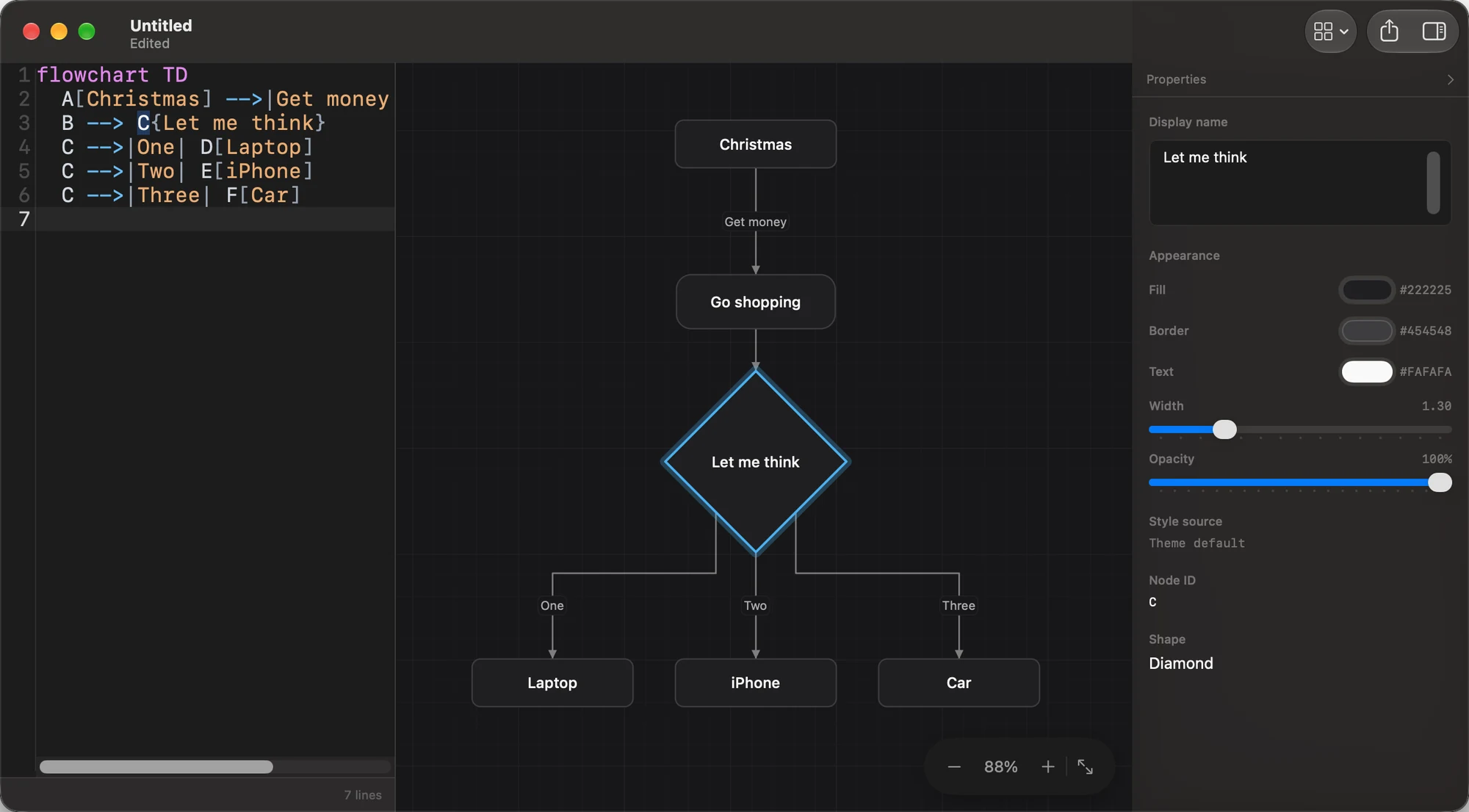
Drag a node and the Mermaid text changes. Edit the text and the canvas recompiles. Neither one is a picture of the other.
01
Add a node, connect two, reconnect an edge, insert a node mid-edge, duplicate, paste. The canvas writes standard Mermaid syntax — never a sidecar file, never a private format.
02
Fill, stroke, text colour, stroke width and opacity are written as ordinary style rules. Set only fill and Mernyx picks a text colour that stays readable against it.
03
Consecutive property edits coalesce into a single text undo. ⌥⌘I formats the document while preserving token content, comments and statement order — and works even when the source has syntax errors.
flowchart TD
    A[Christmas] -->|Get money| B(Go shopping)
    B --> C{Let me think}
    C -->|One| D[Laptop]
    C -->|Two| E[iPhone]
    C -->|Three| F[Car]
    style C color:#ffffff,fill:#F4431E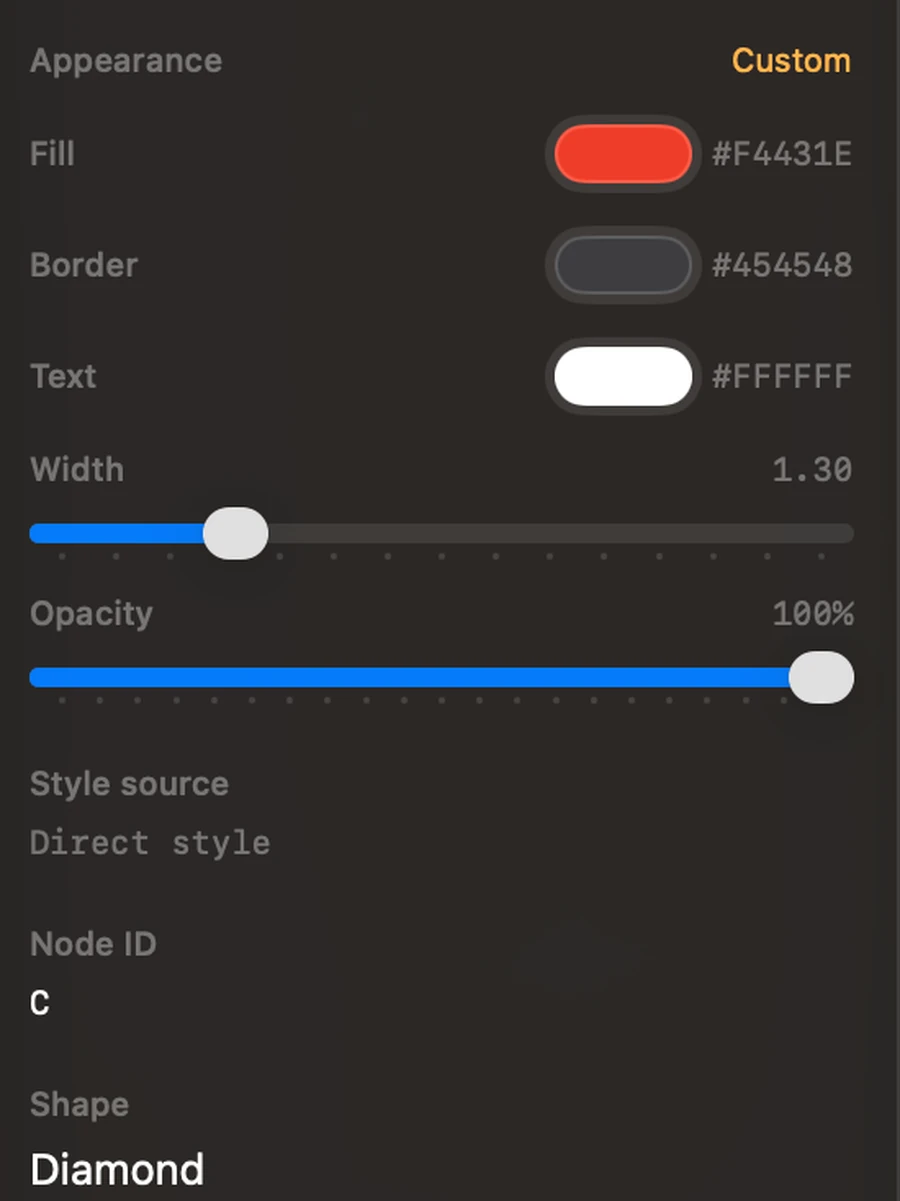
style rule in the source.03 · Coverage
Flowchart, sequence, class, state, ER, mindmap, C4, gantt, journey, kanban, xychart, ZenUML and more — each with its own syntax-highlighting keyword table.
Coverage means every family has a template that compiles to a non-empty scene. It does not mean every syntax and visual detail is finished. Structural editing remains flowchart-only.
PNG, SVG and PDF, all produced from the same Scene rather than by round-tripping through a browser print dialog.
⌥⌘I normalises whitespace and flowchart block indentation without touching token content, comments or statement order.
Put the caret on a node in the source and the canvas highlights it — scrolling only if it is off-screen, and never stealing keyboard focus. Toggle in Settings › Canvas › Linkage.
Preview .mmd and .mermaid files straight in Finder, with scroll-zoom, drag-pan and system light/dark.
14 scenario samples, plus a starting skeleton for every one of the 34 families, grouped into 5 searchable categories.
Menu items enable per diagram family and per selection, and the shortcuts and the menu share one binding table.
Each family merges its own keyword table with facts from the engine, so diagnostics that have a location are marked as source ranges.
Off by default, and it never affects exported output.
Mernyx is at version 0.1.0. It is an early tool in active development, not a finished product, and it changes quickly.
Concretely: structural editing is flowchart-only. There is no working one-click fix for diagnostics. A full write-back re-groups and normalises your source rather than preserving its original formatting. Some primitives still render slightly differently between SVG and the raster exports.
It is still early enough that the shape of things may change. If you rely on a specific workflow, get in touch before you build on it.
No — there is no WebView and no JavaScript bridge anywhere in it. Mermaid’s layout algorithms are reimplemented natively (in Rust, called over UniFFI) and every shape is drawn with CoreGraphics.
Structural editing — adding, deleting, connecting, reconnecting and restyling — works on flowcharts. 29 of the 34 families also support in-place label editing; agentflow, eventmodeling, info, sankey and timeline do not.
Not yet. Diagnostics are reported with source ranges where the engine can supply a position, but there is no one-click apply.
Property and label edits patch the exact source range. Structural edits re-group the document — nodes, then edges, then styles — which normalises whitespace and does not preserve your original layout. ⌥⌘I is the gentler path: it keeps token content, comments and statement order.
macOS 14 or later. It is a native app, so there is no browser, runtime or plugin to install alongside it.
Email hi@example.com. Mernyx is a one-person project and every message is read.
Mernyx is a single native window: source on the left, a real vector canvas in the middle, properties on the right.