
Skip to content
Mernyx
Open menu

Mermaid Swimlane Diagram Cheat Sheet

A process split into lanes, one per owner.

Every picture on this page was drawn byMernyx, the native Mermaid editor for macOS. Not by a browser running Mermaid.js — the same renderer the app uses for its canvas.

Lanes

A lane is a subgraph, and the subgraph title is the lane name.

swimlane-beta TB
  subgraph Engineering
    a[Build]
  end
  subgraph Design
    b[Sketch]
  end
  b --> a
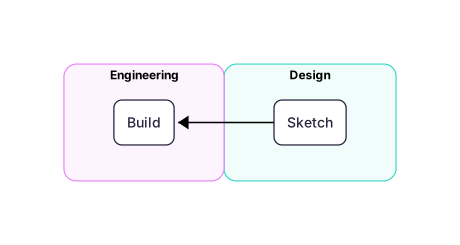
Two lanes, Design and Engineering, with a Sketch step in one connected to a Build step in the other.Expand diagram

Direction

The same keyword as flowcharts: LR runs the lanes sideways, TB stacks them.

swimlane-beta LR
  subgraph Engineering
    a[Alpha]
    b[Beta]
  end
  a --> b
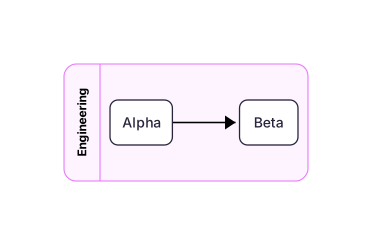
One lane called Engineering holding two steps, Alpha and Beta, laid out left to right.Expand diagram

Work crossing lanes

An arrow between two lanes is a handover. The handover, not the lane, is what the diagram is about.

swimlane-beta TB
  subgraph Frontend
    ui[Click]
  end
  subgraph Backend
    api[Handle]
    db[Save]
  end
  ui --> api
  api --> db
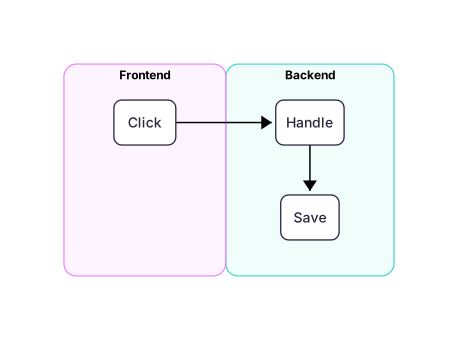
A Frontend lane with a Click step pointing at a Backend lane that holds Handle and Save.Expand diagram

Shapes inside a lane

The node shapes are the ones from flowcharts — a box, a cylinder, a diamond.

swimlane-beta TB
  subgraph Engineering
    a[Build]
    b[(Cache)]
  end
  subgraph Operations
    c{Ready?}
  end
  a --> c
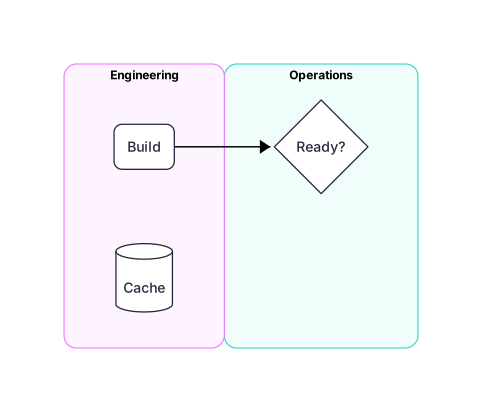
An Engineering lane holding a Build box and a Cache cylinder, pointing at an Operations lane that holds a diamond labelled Ready.Expand diagram

Draw it in Mernyx.

Open a .mmd file, move a node on the canvas, and the source comes with it. Native on macOS, no browser involved.

Diagram preview