
Skip to content
Mernyx
Open menu

Mermaid Treemap Cheat Sheet

Nested rectangles whose area is the value.

Every picture on this page was drawn byMernyx, the native Mermaid editor for macOS. Not by a browser running Mermaid.js — the same renderer the app uses for its canvas.

Sections and leaves

A line with a colon is a leaf, and the number is its size. A line without one is a section, and the lines under it belong to it.

treemap-beta
  "Category A"
    "Item A1": 10
    "Item A2": 20
  "Category B"
    "Item B1": 15
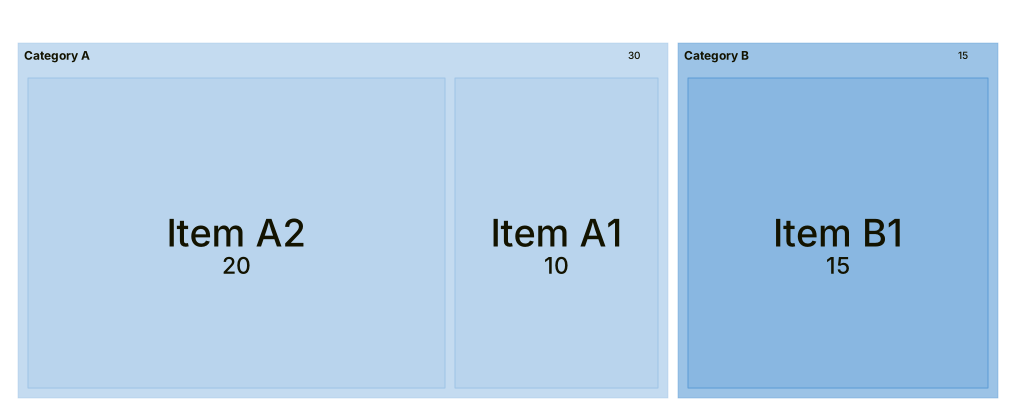
A treemap of two rectangles, Category A and Category B, the first split into Item A1 and Item A2, the second holding Item B1.Expand diagram

A section inside a section

Indentation is the hierarchy, and it can go as deep as you like.

treemap-beta
  "Products"
    "Electronics"
      "Phones": 50
      "Computers": 30
    "Clothing"
      "Men's": 40
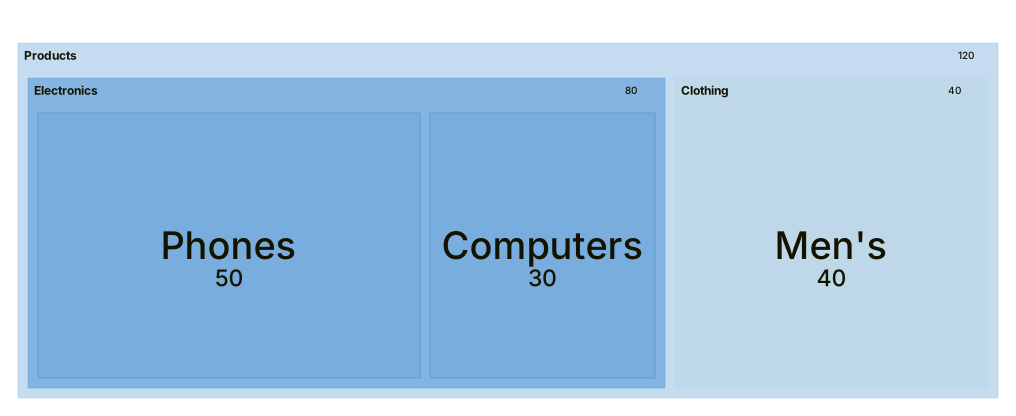
A treemap of one large rectangle, Products, split into Electronics and Clothing, with Electronics split again into Phones and Computers.Expand diagram

The value is the area

A leaf with a bigger number gets a bigger rectangle. The three numbers here are three different areas.

treemap-beta
  "Budget"
    "Servers": 70
    "Design": 20
    "Ops": 10
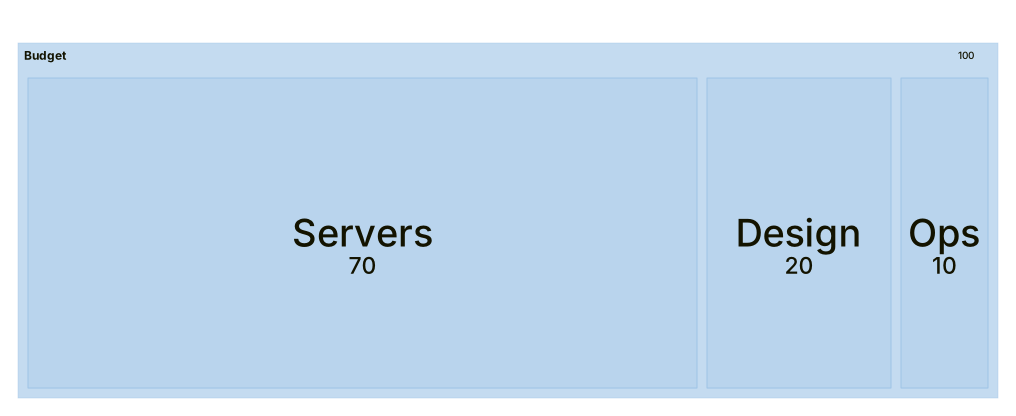
A treemap split into three rectangles, Servers, Design and Ops, with Servers taking most of the space.Expand diagram

Draw it in Mernyx.

Open a .mmd file, move a node on the canvas, and the source comes with it. Native on macOS, no browser involved.

Diagram preview