
Skip to content
Mernyx
Open menu

Mermaid XY Chart Cheat Sheet

A line or a bar chart on two axes.

Every picture on this page was drawn byMernyx, the native Mermaid editor for macOS. Not by a browser running Mermaid.js — the same renderer the app uses for its canvas.

A line

The x-axis lists the positions, and the data is one number per position.

xychart
    x-axis [jan, feb, mar, apr]
    y-axis "Revenue" 0 --> 100
    line [10, 40, 60, 90]
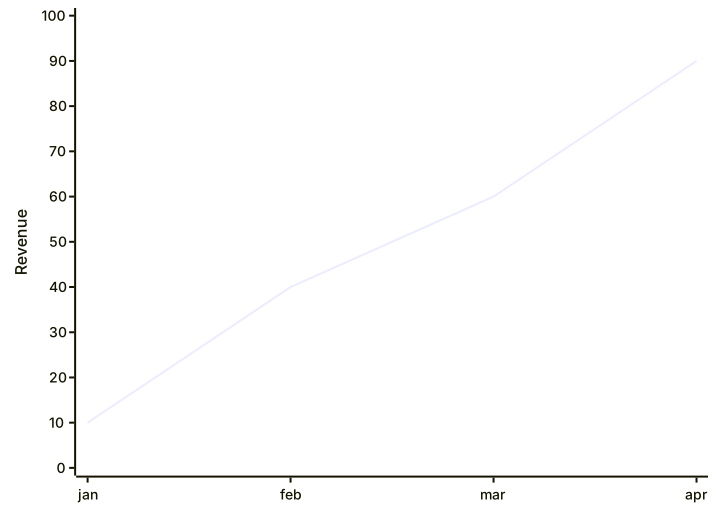
A line chart with four points, jan to apr, rising from 10 to 90.Expand diagram

Bars

bar draws the same data as bars instead of a line.

xychart
    x-axis [jan, feb, mar, apr]
    y-axis "Revenue" 0 --> 100
    bar [10, 40, 60, 90]
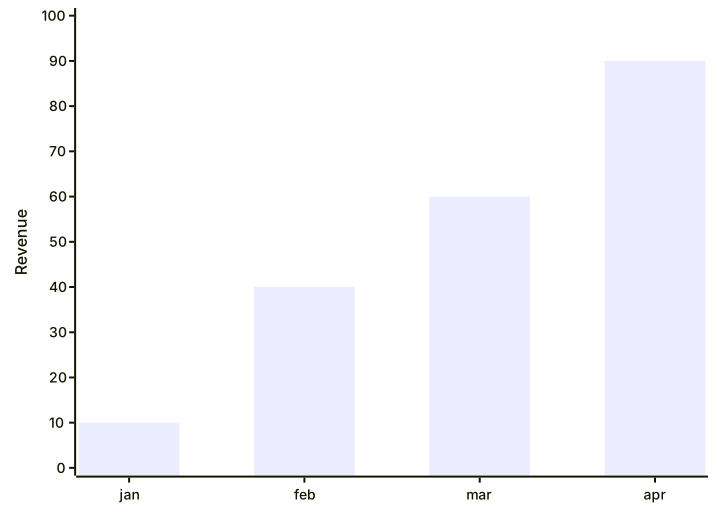
A bar chart with four bars, jan to apr, rising from 10 to 90.Expand diagram

Two series and a title

A line and a bar can share a chart, and the title goes on its own line.

xychart
    title "Sales revenue"
    x-axis [jan, feb, mar, apr]
    y-axis "Revenue (in $)" 4000 --> 11000
    line [5000, 6000, 7500, 8200]
    bar [4000, 5500, 7000, 8100]
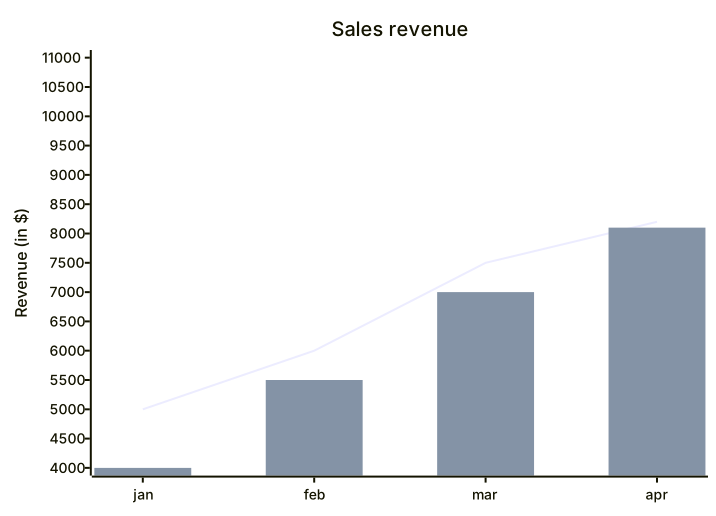
A chart titled Sales revenue with a line and a bar over four months, both rising, on a y-axis from 4000 to 11000.Expand diagram

Naming the x-axis

A label before the list names the axis.

xychart
    x-axis "Month" [jan, feb, mar, apr]
    y-axis "Revenue" 0 --> 100
    line [10, 40, 60, 90]
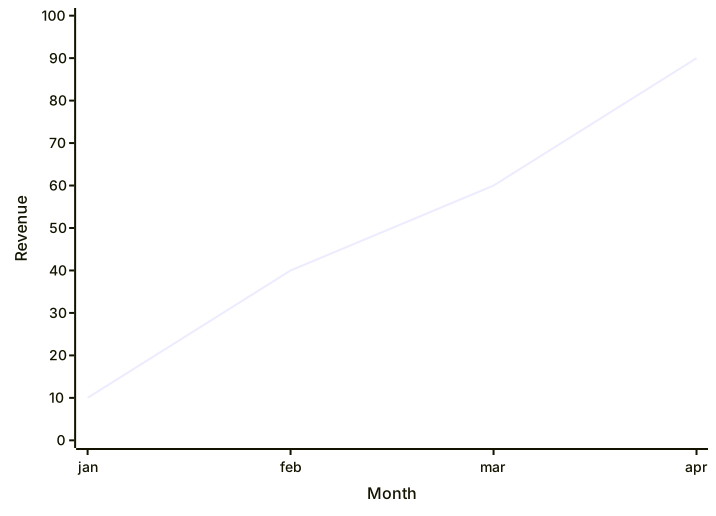
A line chart with the x-axis labelled Month above jan to apr, and a y-axis labelled Revenue from 0 to 100.Expand diagram

Draw it in Mernyx.

Open a .mmd file, move a node on the canvas, and the source comes with it. Native on macOS, no browser involved.

Diagram preview