
Everything sits inside curly braces. id, text, risk and verifymethod are the four fields.
requirementDiagram
requirement checkout_req {
id: 1
text: Orders must be payable online.
risk: high
verifymethod: test
}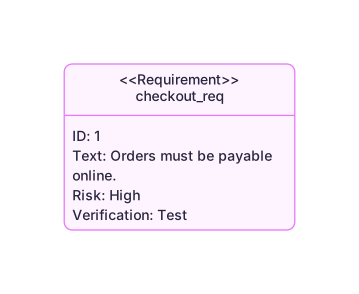 Expand diagram
The keyword before the id says what sort it is: functional, performance, interface, physical or a design constraint.
requirementDiagram
functionalRequirement payment_req {
id: 1.1
text: Card payments must be authorised.
risk: high
verifymethod: test
}
performanceRequirement response_req {
id: 1.2
text: Pages must load in under a second.
risk: medium
verifymethod: analysis
}
interfaceRequirement api_req {
id: 1.3
text: The payment API must stay stable.
risk: low
verifymethod: inspection
}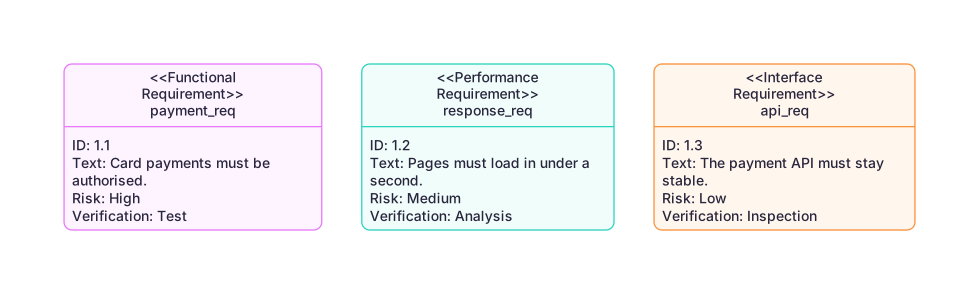 Expand diagram
An element is the thing outside the system that a requirement talks about. type says what it is, docRef points at it.
requirementDiagram
requirement checkout_req {
id: 1
text: Orders must be payable online.
risk: high
verifymethod: test
}
element checkout_service {
type: service
docRef: reqs/checkout
}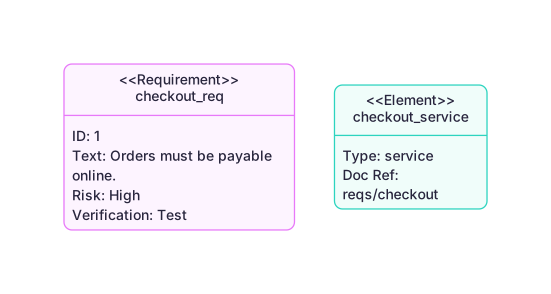 Expand diagram
The word between the arrows is the relation: contains, satisfies, verifies, traces, derives, refines and copies.
requirementDiagram
requirement checkout_req {
id: 1
text: Orders must be payable online.
risk: high
verifymethod: test
}
functionalRequirement payment_req {
id: 1.1
text: Card payments must be authorised.
risk: high
verifymethod: test
}
element checkout_service {
type: service
}
checkout_req - contains -> payment_req
checkout_service - satisfies -> payment_req
checkout_service - verifies -> payment_req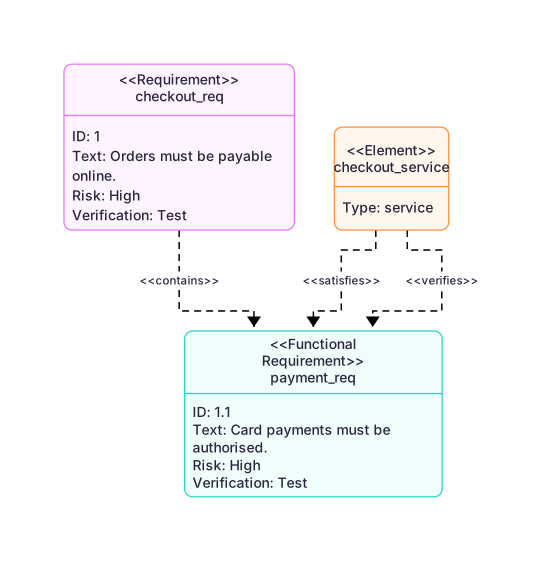 Expand diagram