
Declare them to control the order. Use actor for the stick figure.
sequenceDiagram
participant Alice
actor Bob
Bob->>Alice: Hi Alice
Alice->>Bob: Hi Bob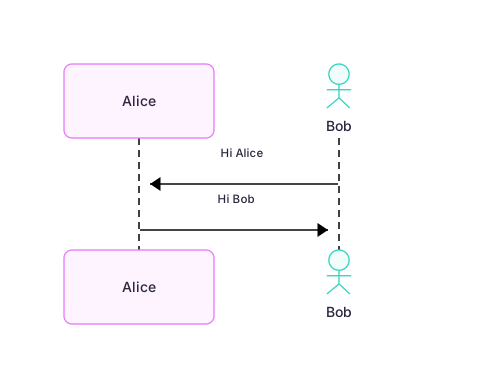 Expand diagram
A filled arrowhead is a call, an open one is a reply, a line with no head is just a note.
sequenceDiagram
Alice->>John: Hello John
John-->>Alice: Hi Alice
John-)Alice: A one-way note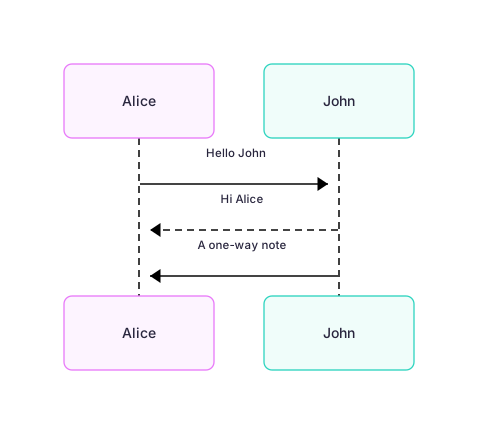 Expand diagram
A plus opens a bar on the lifeline, a minus closes it. The bar shows how long the call took.
sequenceDiagram
Alice->>+John: Hello
John-->>-Alice: Hi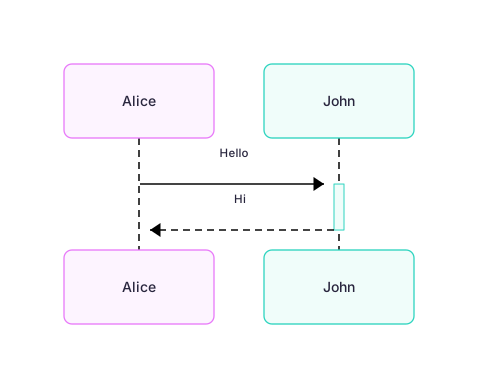 Expand diagram
Notes attach to a participant, or float over a range of them.
sequenceDiagram
Alice->>John: Hello
Note right of John: He answers later
Note over Alice,John: A shared note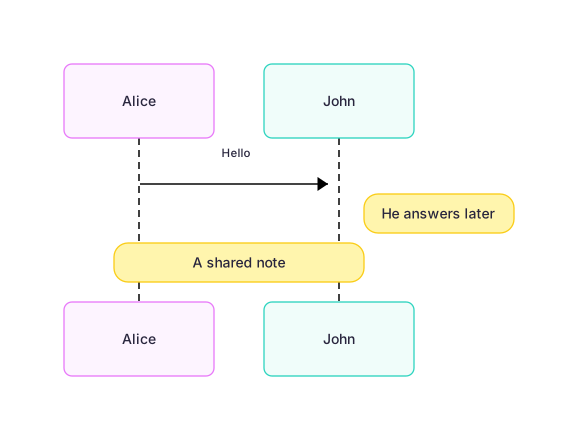 Expand diagram
A labelled block that repeats. Anything inside runs once per iteration.
sequenceDiagram
Alice->>John: Hello
loop Every minute
John->>Alice: Still there?
end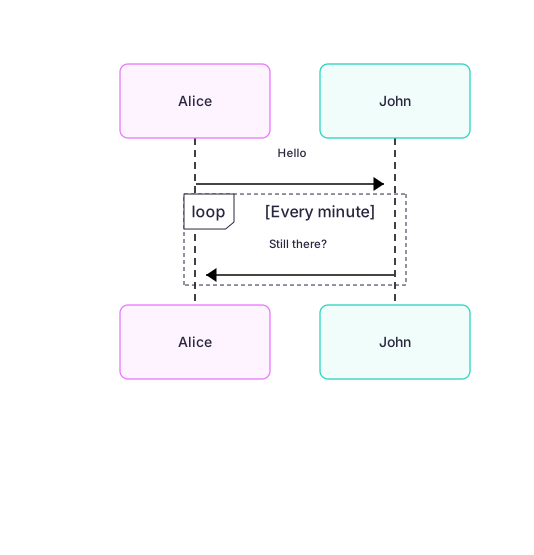 Expand diagram
alt and else are the if/else of a sequence diagram.
sequenceDiagram
Alice->>John: Hello
alt John is a robot
John-->>Alice: Beep
else John is a human
John-->>Alice: Hello there
end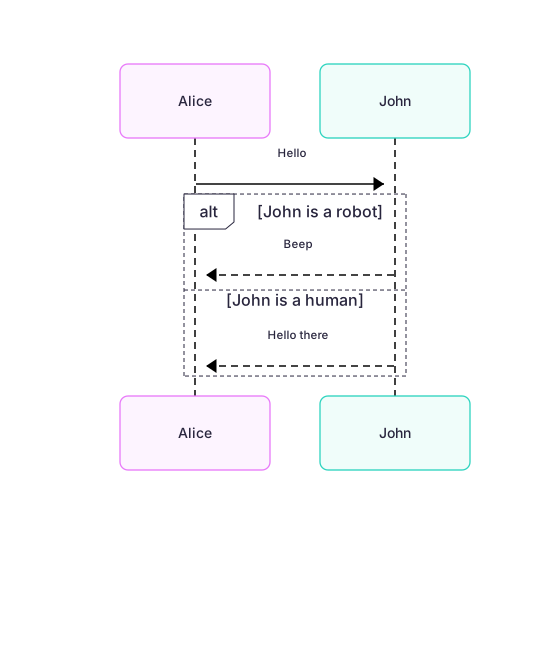 Expand diagram
autonumber puts a number on every message, in order.
sequenceDiagram
autonumber
Alice->>John: Hello
John-->>Alice: Hi
Alice->>John: Still there?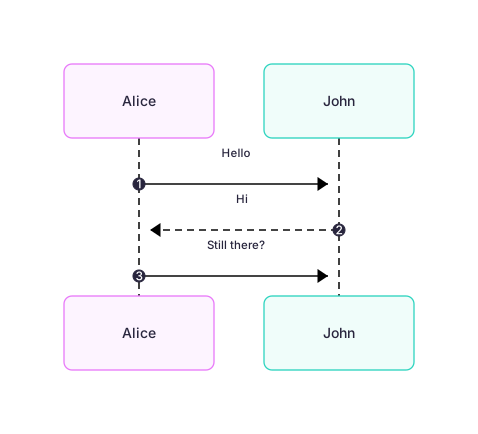 Expand diagram
opt marks a block that may or may not happen.
sequenceDiagram
Alice->>John: Hello
opt If he feels like it
John-->>Alice: Hi
end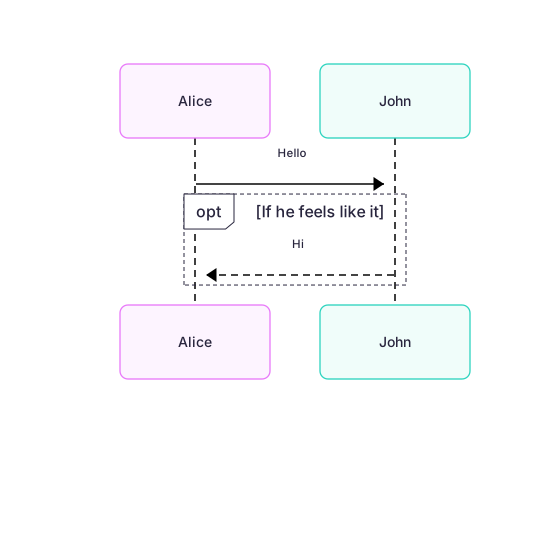 Expand diagram