
Skip to content
Mernyx
Open menu

Mermaid Cynefin Diagram Cheat Sheet

Five domains, each with its own way of deciding.

Every picture on this page was drawn byMernyx, the native Mermaid editor for macOS. Not by a browser running Mermaid.js — the same renderer the app uses for its canvas.

The five domains

Each domain is a keyword with items under it: clear, complicated, complex, chaotic and confusion.

cynefin-beta
  clear
    "Known procedure"
  complicated
    "Expert analysis needed"
  complex
    "Pattern found in hindsight"
  chaotic
    "Crisis response"
  confusion
    "Unknown domain"
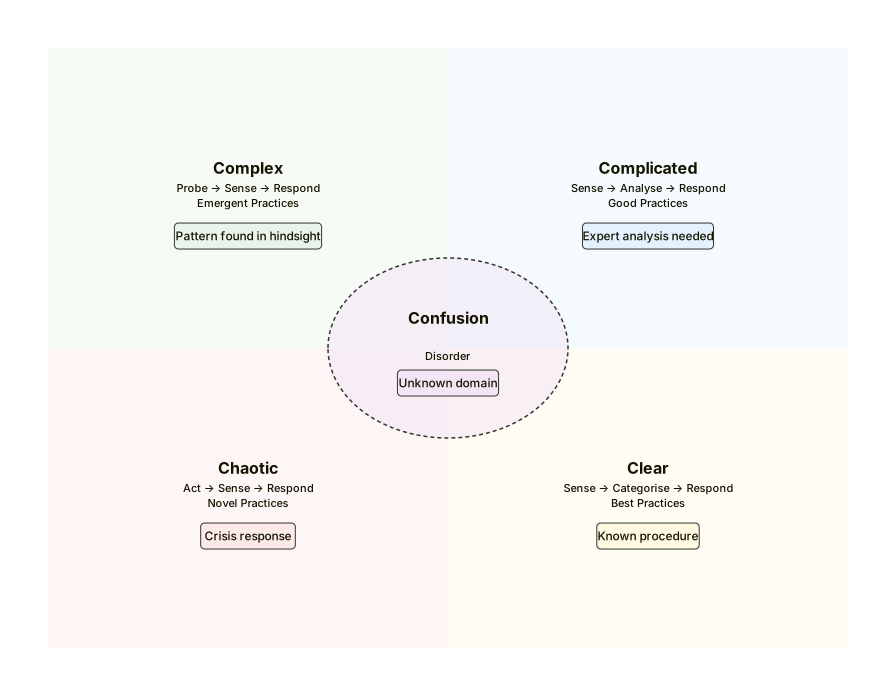
A Cynefin diagram with the five domains, each holding one item: a known procedure, expert analysis needed, a pattern found in hindsight, a crisis response and an unknown domain.Expand diagram

Transitions

An arrow between two domains says what moved the situation from one to the other.

cynefin-beta
  clear
    "Known procedure"
  complex
    "Probe and sense"
  clear --> complex : "Probe"
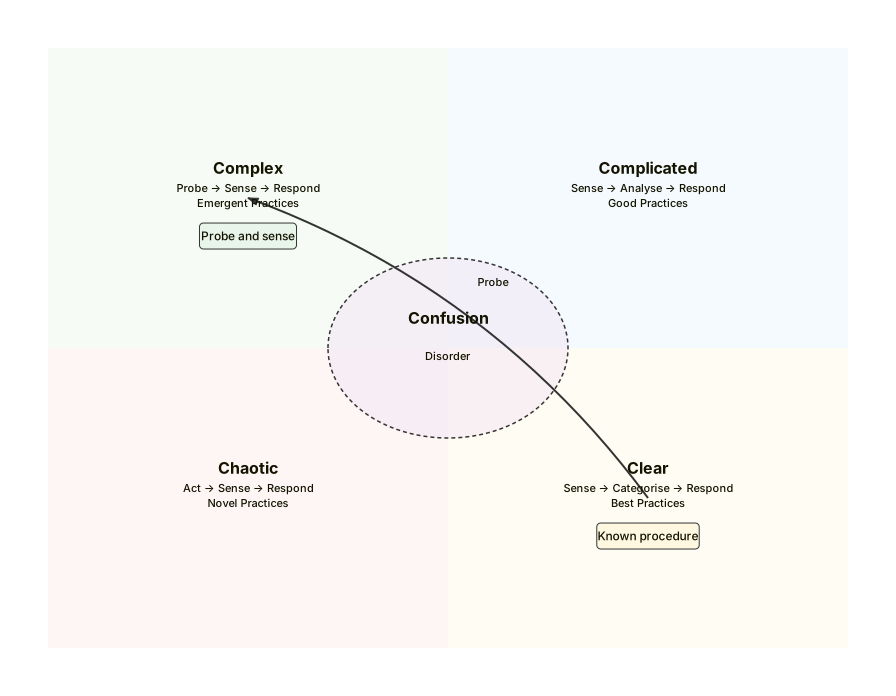
A Cynefin diagram with a Clear domain and a Complex domain, joined by an arrow labelled Probe.Expand diagram

Adding a title

The title goes on its own line, under the keyword.

cynefin-beta
  title How we work
  clear
    "Runbook"
  complex
    "Retrospective"
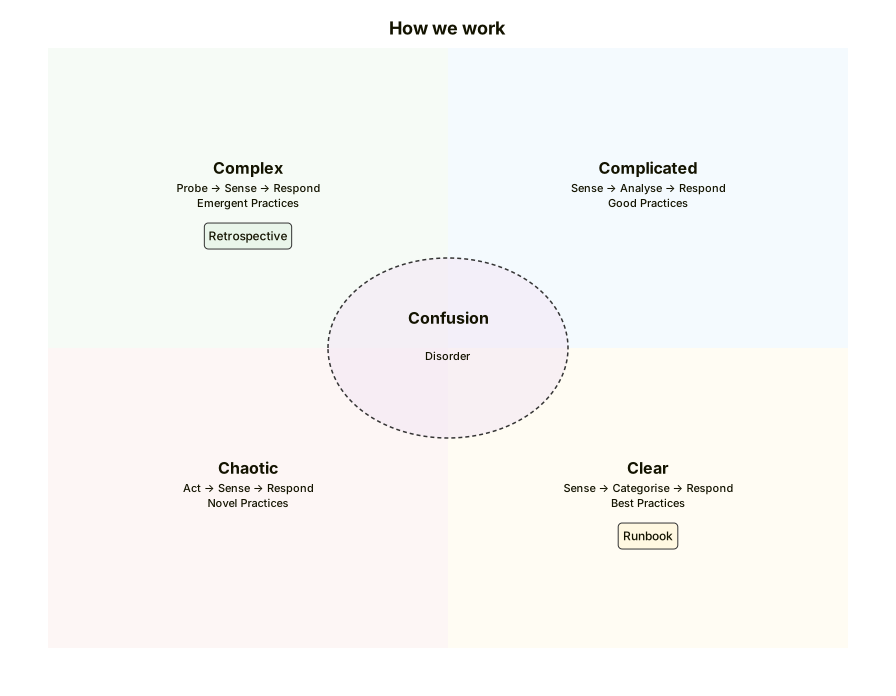
A Cynefin diagram titled How we work, with a Clear domain holding Runbook and a Complex domain holding Retrospective.Expand diagram

Draw it in Mernyx.

Open a .mmd file, move a node on the canvas, and the source comes with it. Native on macOS, no browser involved.

Diagram preview