
Skip to content
Mernyx
Open menu

Mermaid Event Modeling Diagram Cheat Sheet

How the information changed, in time.

Every picture on this page was drawn byMernyx, the native Mermaid editor for macOS. Not by a browser running Mermaid.js — the same renderer the app uses for its canvas.

The time frames

A time frame is a number, a kind and a name. The kind is ui, cmd, evt, rmo or pcr.

eventmodeling
    tf 01 ui CartUI
    tf 02 cmd AddItem
    tf 03 evt ItemAdded
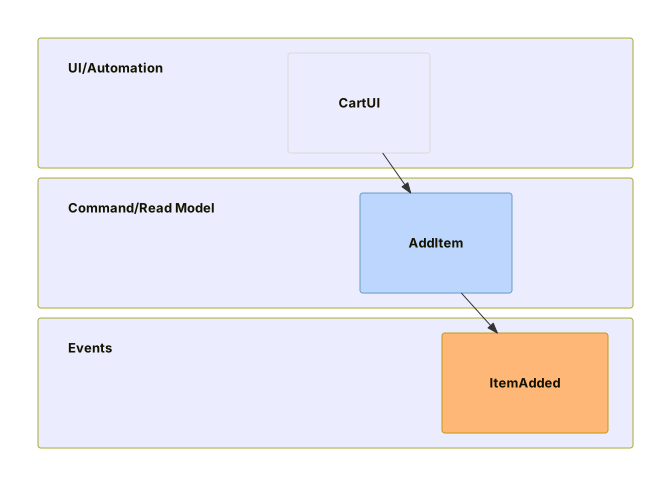
An event modeling diagram with three frames in a row: a user interface called CartUI, a command called AddItem and an event called ItemAdded.Expand diagram

What the command acts on

The arrow points at the frame that came first, and the braces carry the payload.

eventmodeling
    tf 01 ui Shop.Cart
    tf 02 cmd Ordering.AddItem ->> 01 { sku: "S" }
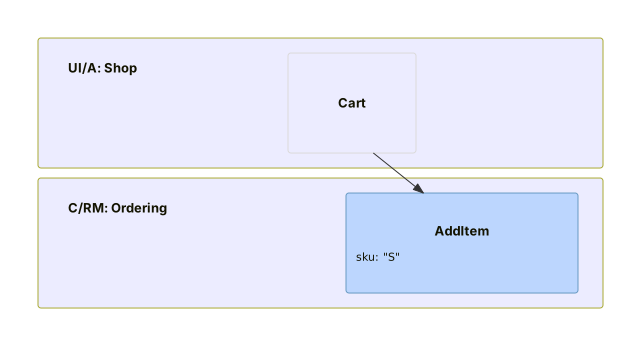
An event modeling diagram where a command, Ordering.AddItem, points back at a user interface frame, with a payload reading sku: S.Expand diagram

Events follow commands

An event points at the command that caused it.

eventmodeling
    tf 01 ui Shop.Cart
    tf 02 cmd Ordering.AddItem ->> 01
    tf 03 evt Ordering.ItemAdded ->> 02 { sku: "S" }
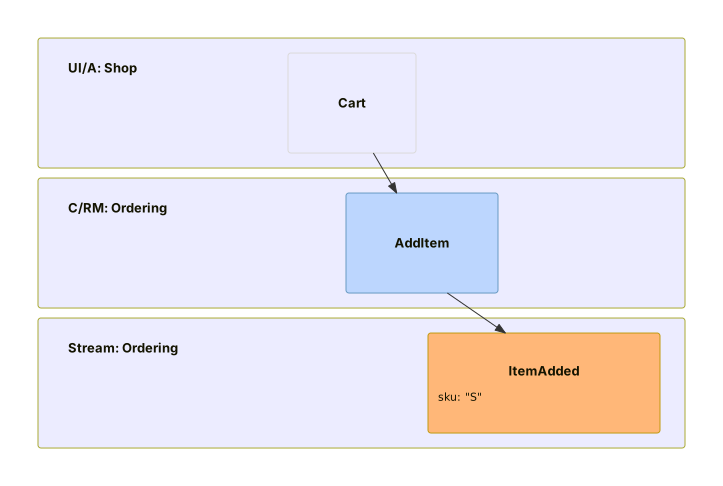
An event modeling diagram with a user interface frame, a command frame and an event frame, each pointing back at the one before it.Expand diagram

Reading the events back

A read model is rmo, and it points at the event it is built from.

eventmodeling
    tf 01 ui Shop.Cart
    tf 02 cmd Ordering.AddItem ->> 01
    tf 03 evt Ordering.ItemAdded ->> 02
    tf 04 rmo CartView ->> 03
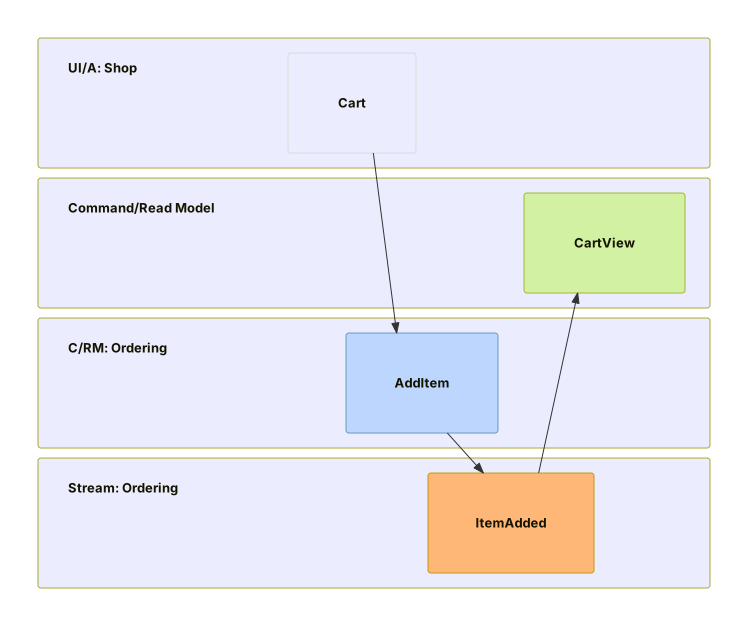
An event modeling diagram with four frames: a user interface, a command, an event, and a read model called CartView pointing back at the event.Expand diagram

Draw it in Mernyx.

Open a .mmd file, move a node on the canvas, and the source comes with it. Native on macOS, no browser involved.

Diagram preview