
Skip to content
Mernyx
Open menu

Mermaid Ishikawa Diagram Cheat Sheet

One problem, and the causes under it.

Every picture on this page was drawn byMernyx, the native Mermaid editor for macOS. Not by a browser running Mermaid.js — the same renderer the app uses for its canvas.

The problem and its causes

The first line is the problem. The lines under it are the causes, and the indentation is the bone.

ishikawa-beta
    Blurry photo
    Camera
        Out of focus
        Shutter speed too slow
    Environment
        Too dark
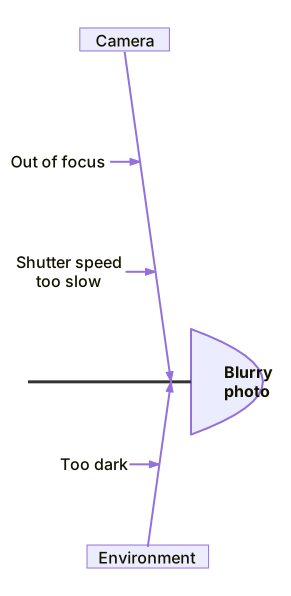
A fishbone diagram with Blurry photo at the head and two bones, Camera and Environment, each carrying two causes.Expand diagram

Grouping the causes

A cause one level in is a group, and the lines under it are the reasons for that cause.

ishikawa-beta
    Blurry photo
    Camera
        Out of focus
        Dirty lens
    User
        Shaky hands
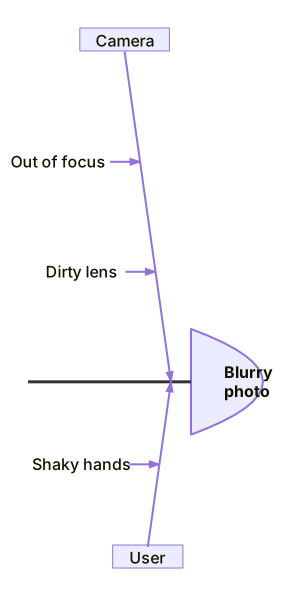
A fishbone diagram with Blurry photo at the head and two bones, Camera and User, each carrying two reasons.Expand diagram

Draw it in Mernyx.

Open a .mmd file, move a node on the canvas, and the source comes with it. Native on macOS, no browser involved.

Diagram preview