
A task is a title, a colon, then a start and a length. dateFormat says how to read the dates.
gantt
dateFormat YYYY-MM-DD
title Release plan
section Build
Compile :a1, 2026-01-06, 3d
Test :a2, after a1, 5d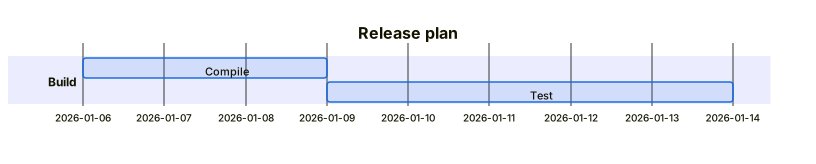 Expand diagram
done, active and crit are tags, and they have to come first in the list.
gantt
dateFormat YYYY-MM-DD
section Build
Compile :done, a1, 2026-01-06, 3d
Test :active, a2, 2026-01-09, 3d
Ship :crit, a3, 2026-01-12, 2d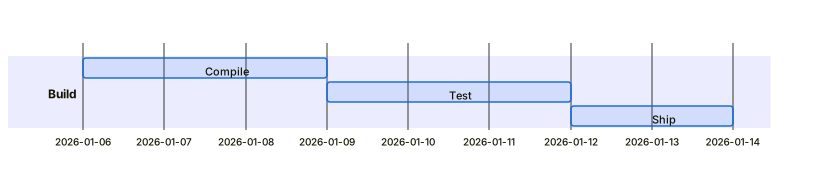 Expand diagram
after a1 starts a task when the one with that id ends.
gantt
dateFormat YYYY-MM-DD
section Build
Compile :a1, 2026-01-06, 3d
Test :a2, after a1, 5d
Ship :a3, after a2, 2d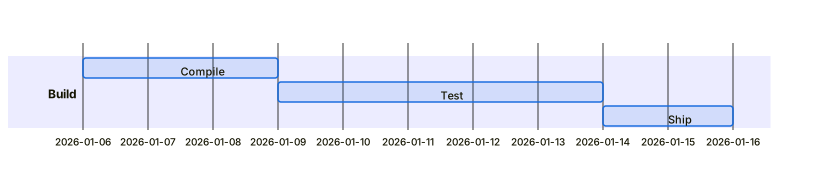 Expand diagram
A milestone is a zero-length task — a marker on the axis rather than a bar.
gantt
dateFormat YYYY-MM-DD
section Release
Work :a1, 2026-01-06, 10d
Launch :milestone, m1, 2026-01-20, 0d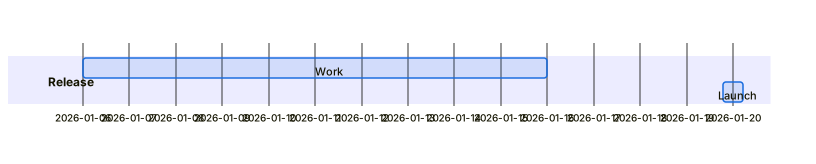 Expand diagram