
Skip to content
Mernyx
Open menu

Mermaid Mindmap Cheat Sheet

A text outline that becomes a tree, with no arrows to write.

Every picture on this page was drawn byMernyx, the native Mermaid editor for macOS. Not by a browser running Mermaid.js — the same renderer the app uses for its canvas.

Indentation is the hierarchy

Only the depth relative to the line above matters. Four spaces or a tab both work.

mindmap
  Root
    Branch A
      Leaf A1
      Leaf A2
    Branch B
      Leaf B1
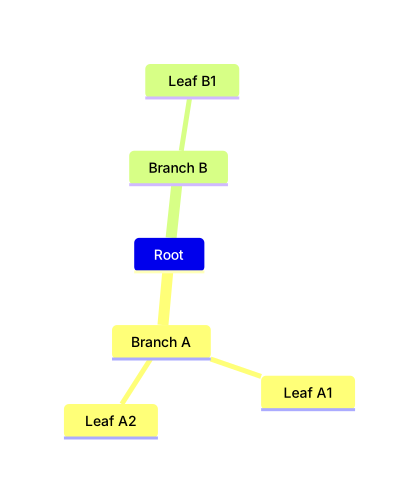
A mindmap tree with a root, two branches and a leaf under each.Expand diagram

Node shapes

Same bracket idea as flowcharts: square, rounded, circle and banner.

mindmap
  Root
    id1[Square]
    id2(Rounded)
    id3((Circle))
    id4)Banner(
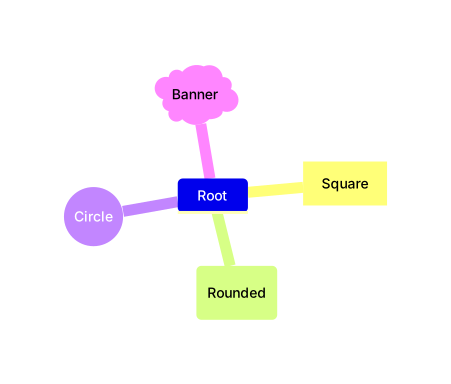
A mindmap root with four children, drawn as a square, a rounded box, a circle and a banner shape.Expand diagram

Markdown labels

Backticks around the label allow bold, italic and code, and the text wraps on its own.

mindmap
  id1["`**Bold** root`"]
    id2["`The dog in **the** hog`"]
    id3[Plain label]
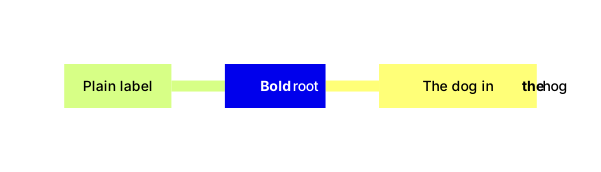
A mindmap whose root label is bold, with two children below it, one of them also partly bold.Expand diagram

Only the depth relative to the line above counts

The indents below are deliberately uneven. B is a child of A, and C is a sibling of B.

mindmap
Root
    A
        B
      C
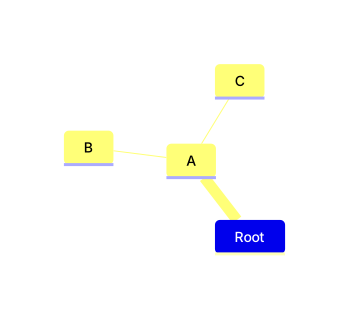
A mindmap whose root has one child, which has one child of its own and one more child at the same level.Expand diagram

Draw it in Mernyx.

Open a .mmd file, move a node on the canvas, and the source comes with it. Native on macOS, no browser involved.

Diagram preview